




SavaSpin Login & Account Creation
SavaSpin login takes seconds once an account exists. If you want to register, the whole process wraps up in a couple of minutes. From that point forward, the platform opens up completely, and you can enjoy real-money play and withdraw your winnings.



Registration at SavaSpin Casino
Without a registered account, you can browse, look at games in demo mode, read about promotions, and write to our live chat. But depositing real money, claiming bonuses, joining tournaments, and withdrawing anything you win all require a SavaSpin Casino profile first. Registration also activates the responsible gaming tools, gives you access to transaction records, and lets you manage your money in one secure place.
How to Create Your Account
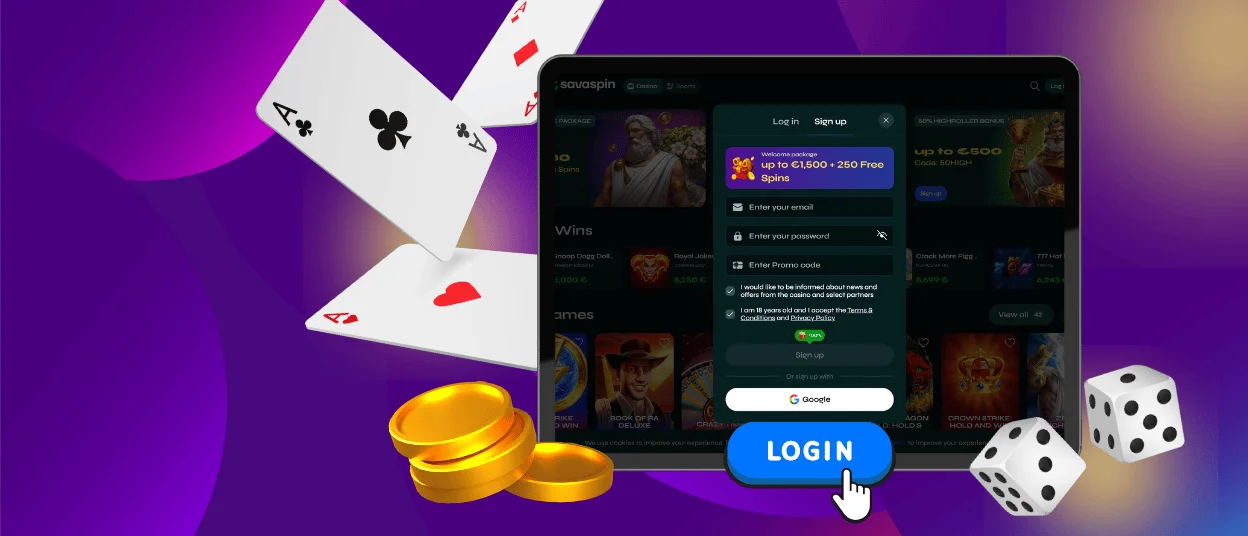
The process of creating an account is short and works identically on the desktop and mobile versions of Sava Spin Casino.
- The “Sign Up” button is located in the header of the site. Click on it.
- Create an account password and enter your email address.
- Agree to proceed once you have read the Terms and Conditions.
- Proceed to the following screen and input your personal details: name, date of birth, and phone number.
- See whether an activation email pops up in your inbox.
- Activate your SavaSpin Casino account by clicking the link in that email.
That last step is important. The activation email arrives within a minute or two. The spam folder is the first place to check if it doesn’t show up.
Account Management and Sava Spin Login
Once you sign up, it’s easy to come back to SavaSpin Casino. Click “Log In,” enter the email and password that you used when you signed up, and confirm. Google-registered players can connect with one click and don’t have to enter their credentials every time.
Inside, the dashboard gathers everything in one place.
| Dashboard Section | What You Can Do |
| Game Library | Browse, search, and save favorites for faster access |
| Wallet & Banking | Deposit, withdraw, and view full transaction history |
| Rewards Centre | Activate bonuses, check wagering progress, collect cashback |
| Profile & Verification | Update personal and SavaSpin login details and upload identity documents |
| Gaming Controls | Set deposit limits, session timers, and cooling-off periods |
| Support & Notifications | Contact multilingual support and manage notification preferences |
How to Log In via Mobile App
Mobile SavaSpin login works exactly the same as desktop. Email and password or Google sign-in are available. On supported iOS devices, Face ID handles the whole thing without typing anything at all. Once the Sava Spin app is installed from the website, the login button is on the home screen and connects straight to the dashboard without any extra steps. Everything in the account is identical to the desktop version.
Forgot Your Password?
If you don’t remember your credentials, click the “Forgot password?” link on the SavaSpin login page. Then, input the email address that was used for registration. You will soon receive a reset link. Just click the button to get back in and set a new password. If the email takes a while to process, please check your spam folder first. If you don’t receive it at all, our support team is always here to help via live chat.
Account Verification
Withdrawals at SavaSpin Casino cannot be processed until the verification process has been completed. There are three things that must be reviewed:
- Identification (passport or national ID)
- Evidence of residence (utility bill or bank statement from the past three months)
- Confirmation of payment method
The dashboard’s profile section is where you can upload documents. The Sava Spin staff analyzes entries and verifies them within 48 hours and frequently much sooner. After it’s finished, you’ll get a confirmation email. If you want your winnings sent to you quickly, the practical advice is to finish verification as soon as possible after registering. Nothing is worse than winning and then finding out there’s a two-day hold.
Common Login Problems and Quick Fixes
Most of the problems sort themselves out in a minute or two. For anything that doesn’t, live chat is there 24/7 and can fix a SavaSpin login issue in a single discussion.
| Problem | Most Likely Cause | What to Do |
| Password not accepted | Caps Lock on, or a typo | Check Caps Lock and retype carefully |
| Account not found | Different email used at sign-up | Try other email addresses |
| The activation link expired | Too long before clicking the link | Request a new activation email from support |
| The page won’t load | Browser cache or connection issue | Clear the cache and try a different browser |
| 2FA code not arriving | Delay or incorrect phone number | Wait briefly, then check account settings |
| Account locked | Too many failed login attempts | Use password reset or contact support |
FAQ
What should I do if the Sava Spin Casino registration form does not submit?
Check that every required field is filled in correctly. If the form still won’t go through, try a different browser or clear the cache on the current one. A bad or unstable internet connection can also prevent submission. Switching networks sometimes helps. If nothing works, the support team can walk you through it manually via live chat.
What happens if I enter the wrong email during SavaSpin signup?
The activation link will be sent to the entered email, so if it is wrong, the link will not arrive in the right inbox. Contact support as soon as possible with the email address you wanted to use. We can update it before accessing the SavaSpin Casino account becomes a problem and resend the activation link to the right address.
Why should I log out after using a shared device?
If you complete a Sava Spin login on a device that other people use, anyone picking it up afterward has full access to your account with your payment methods and personal details. Log out after every session on a shared computer or phone to prevent a situation that’s difficult to resolve after the fact.
Where can players review account details after SavaSpin login?
Everything is in your SavaSpin profile. It is accessible immediately after logging in. Personal details, verification status, linked payment methods, and security settings are all there. Nothing requires navigating away from the main account area to find.
What should I do if someone else may know my password?
Change it immediately from the profile in your dashboard. Choose a new one that has no relation to the old password or anything obvious. See if there is anything strange in the last few sessions of the SavaSpin login. In case something looks strange, immediately text the support team.


